

🔍 Click to enlarge
Image of the brand owner
The image may differ from the exact product. Always check the specifications for exact size, colour and features.
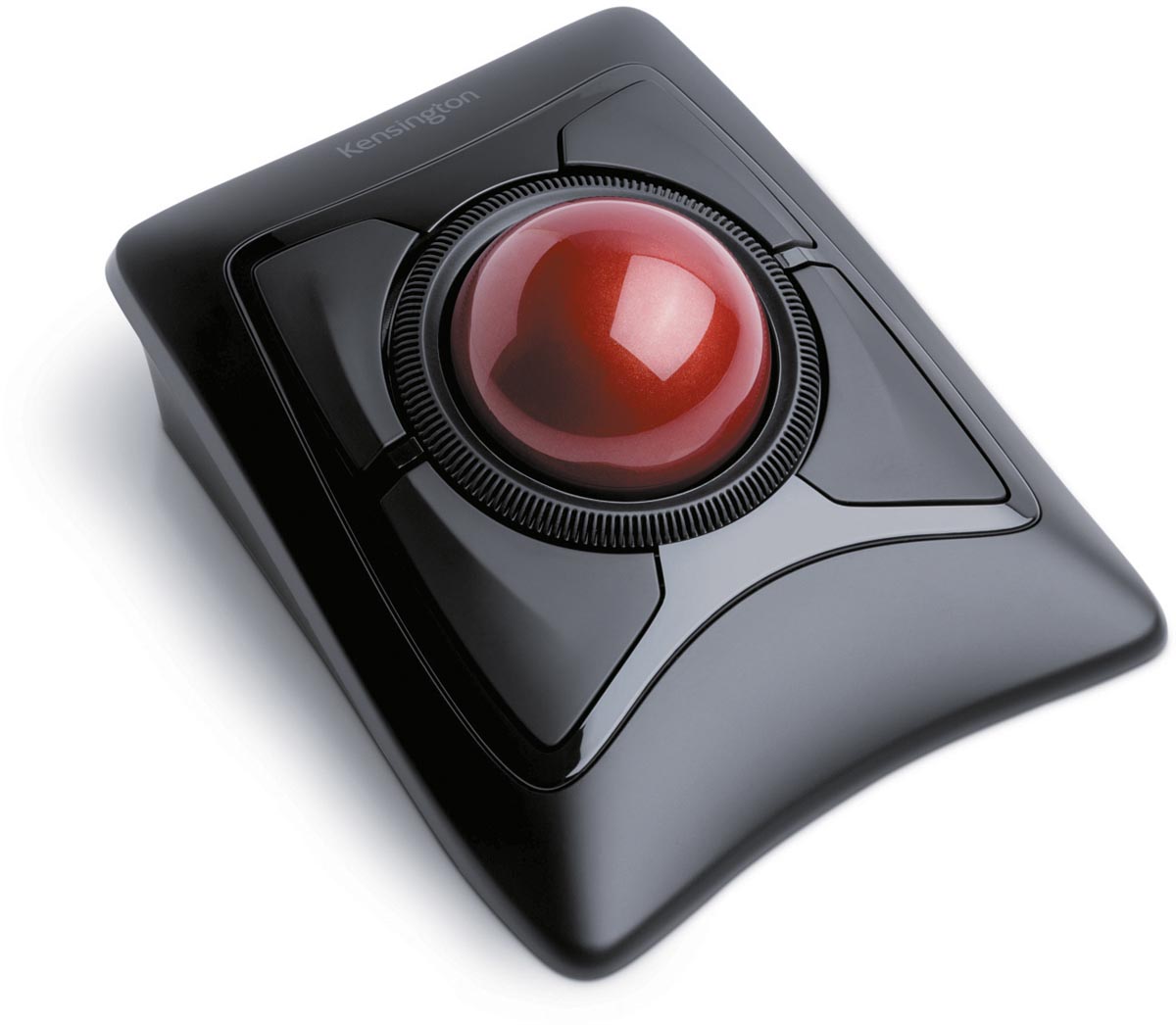
Kensington ExpertMouse wireless trackball
€156,67
incl. VAT
€129,48 excl. VAT (21%)
You are ordering: Colour: Not applicable
Price excluding shipping costs: €4,95 incl. VAT for orders under €49,95. From €49,95 we ship for free.
9,2/10 shop rating (59 reviews)
14-day cooling-off period
Safe payment: iDEAL, Bancontact, credit card or pay on receipt (8 days)
✓ In stock (1 pieces)
Ordered now, delivered Wednesday
Brand: Kensington
| Article number | 90000007772 |
|---|---|
| EAN | 085896723592 |
| OEM number | K72359 |
| Weight | 0,644 kg |
|---|---|
| Dimensions | B: 150 mm × H: 105 mm × D: 170 mm |
| Customs tariff (HS code) | 84716070 |
| VAT rate | 21% |

This is why Dex likes this article
Want high-precision wireless working? The Kensington ExpertMouse trackball connects via Bluetooth 4.0 or USB nano receiver and suits both left- and right-handed users. With the detachable wrist rest and configurable buttons, you work comfortably and efficiently.
When do you choose this product?
What does a wireless trackball do, and when do you need one?
A trackball works differently from a regular mouse: you move the cursor by rolling the ball with your fingers, while your hand stays in place. This is handy if you have little desk space, spend many hours behind the computer, or suffer from fatigue in your wrist or arm due to repetitive mouse movements. The Kensington ExpertMouse is designed for users who work intensively every day and need more control over their cursor movement.
Why this model and not a more compact variant?
The ExpertMouse stands out thanks to its large trackball, which according to Kensington is designed for exceptional precision. A larger ball gives you more grip and makes precise movements easier than with smaller models. In addition, this model has a scroll ring around the ball, allowing you to scroll without having to change position. That makes it particularly suitable for those who work a lot with long documents, spreadsheets or detailed images.
Ergonomics and ambidexterity
The wrist rest is removable, so you can adjust it to your personal preference. Because the trackball is designed symmetrically, you can use it with either your left or right hand. This makes the ExpertMouse a practical choice for shared workstations or for left-handed users who often struggle to find suitable input devices.
Connectivity and compatibility
You can connect the trackball via Bluetooth 4.0 LE or via the supplied USB nano receiver. The USB receiver works with Windows 7, 8, 8.1 and 10, as well as Mac OS X 10.8 and later. Please note: the TrackballWorks software, with which you can set up up to four buttons as you wish, works on Mac only via the 2.4 GHz USB connection and not via Bluetooth.
Specifications according to the manufacturer
Expert Mouse® Wireless Trackball Wireless, connects via Bluetooth® 4.0 LE or use the USB nano receiver TrackballWorks software, configure up to four buttons Scroll ring Large, precise trackball: Designed for exceptional precision thanks to a perfectly shaped ball. Ergonomic design: Removable wrist rest for support Suitable for both left- and right-handed users. USB receiver: Compatible with Windows® 10, 8.1, 8, 7 and Mac OS X 10.8 and later. Bluetooth® 4.0 LE: Compatible with Windows® 10, 8.1 and Mac OS X 10.8 and later. Mac compatibility: TrackballWorks software works with Mac via the 2.4 GHz connection.
Specifications
Colour
Not applicable
Hazard information
No hazard classification applies according to the available manufacturer and supplier information.
This product contains no substances classified as hazardous under the CLP Regulation.
Product information checked by XtremeOffice
This page has been compiled based on information from the manufacturer and our supplier. Last checked on 23-11-2026.
×
![]()