
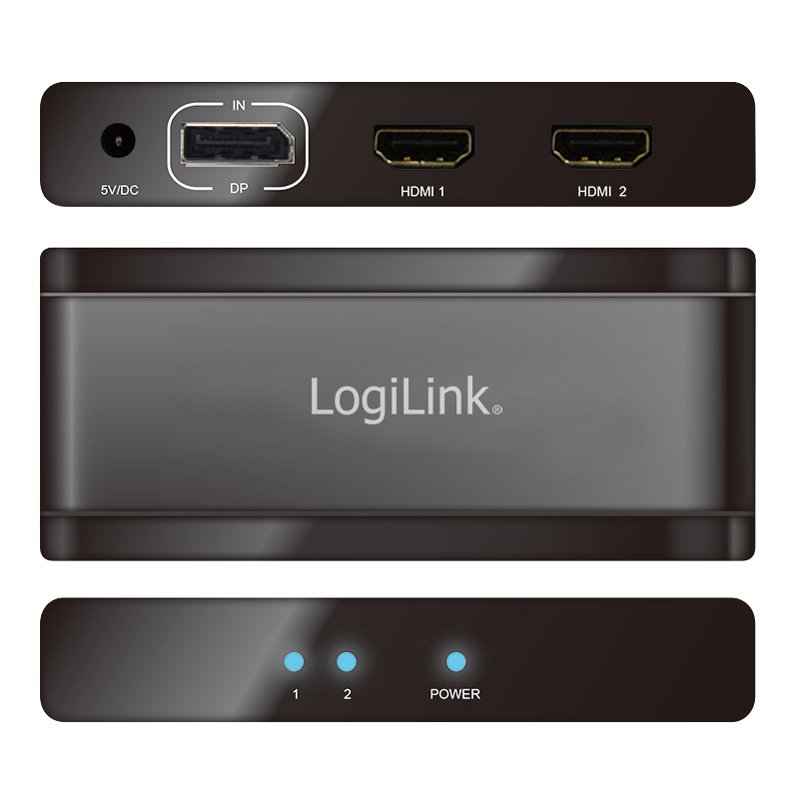
🔍 Click to enlarge
Image of the brand owner
By the manufacturer
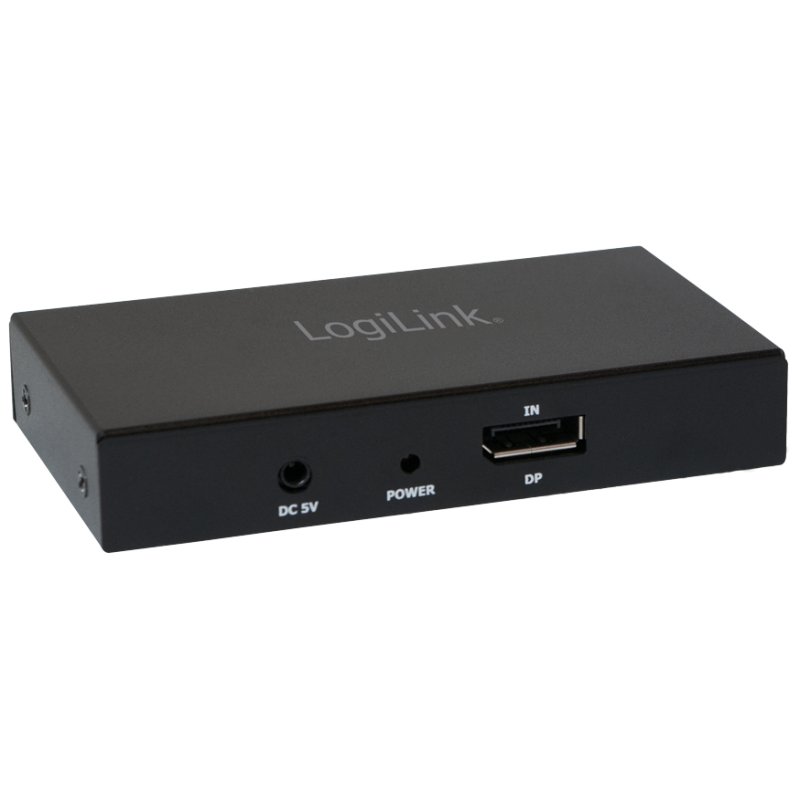
The image may differ from the exact product. Always check the specifications for exact size, colour and features.

LogiLink 4K DisplayPort to HDMI splitter, 2-port, DisplayPort 1.2a
€66,17
incl. VAT
€54,69 excl. VAT (21%)
You are ordering: Colour: black
Price excluding shipping costs: €4,95 incl. VAT for orders under €49,95. From €49,95 we ship for free.
✗ Not in stock
Expected from supplier: week 15 (12 April - 18 April 2027)
Brand: LogiLink
This LogiLink product is a German discovery from the XtremeOffice.nl range and is rarely available elsewhere in the Netherlands.
| Article number | 11115566 |
|---|---|
| EAN | 4052792033861 |
| OEM number | CV0093 |
| Weight | 0,220 kg |
|---|---|
| Dimensions | B: 230 mm × H: 40 mm × D: 120 mm |
| Country of origin | Taiwan |
| Customs tariff (HS code) | 85437090 |
| VAT rate | 21% |

This is why Dex likes this article
Connect two screens effortlessly through a single DisplayPort connection. Enjoy sharp 4K images and 3D content, with full HDCP support for protected content.
When do you choose this product?
When do you need a DisplayPort to HDMI splitter?
Use this splitter when you want to send one DisplayPort signal from your computer or laptop to two HDMI displays. It is ideal for presentations, extensive workstations, or when you want to work on multiple monitors at the same time from a single DisplayPort output.
Why choose a 2-port version?
With two HDMI outputs, you can efficiently drive two screens without extra hardware or complicated installations. Simply connect your DisplayPort source to the input and connect two HDMI monitors to the outputs. This configuration offers sufficient flexibility for most office and presentation applications.
4K Ultra HD support for sharp images
This splitter supports 4K Ultra HD resolution, so you keep high-quality image display on both connected screens. 3D content is also supported, and thanks to HDCP support you can play protected content such as films and presentations smoothly on both outputs.
Compatibility with DisplayPort 1.2a
The splitter works with the DisplayPort 1.2a standard, which is compatible with most modern computers and laptops. Check that your device has a DisplayPort output and make sure your HDMI cables are suitable for the desired resolution. For optimal performance, use high-quality HDMI cables that can handle 4K signals.
Use this splitter when you want to send one DisplayPort signal from your computer or laptop to two HDMI displays. It is ideal for presentations, extensive workstations, or when you want to work on multiple monitors at the same time from a single DisplayPort output.
Why choose a 2-port version?
With two HDMI outputs, you can efficiently drive two screens without extra hardware or complicated installations. Simply connect your DisplayPort source to the input and connect two HDMI monitors to the outputs. This configuration offers sufficient flexibility for most office and presentation applications.
4K Ultra HD support for sharp images
This splitter supports 4K Ultra HD resolution, so you keep high-quality image display on both connected screens. 3D content is also supported, and thanks to HDCP support you can play protected content such as films and presentations smoothly on both outputs.
Compatibility with DisplayPort 1.2a
The splitter works with the DisplayPort 1.2a standard, which is compatible with most modern computers and laptops. Check that your device has a DisplayPort output and make sure your HDMI cables are suitable for the desired resolution. For optimal performance, use high-quality HDMI cables that can handle 4K signals.

Dex finds with this article
Specifications
Manufacturer
Hazard information
No hazard classification applies according to the available manufacturer and supplier information.
This product contains no substances classified as hazardous under the CLP Regulation.
This product contains no substances classified as hazardous under the CLP Regulation.
Product information checked by XtremeOffice
This page has been compiled based on information from the manufacturer and our supplier. Last checked on 05-10-2026.
This page has been compiled based on information from the manufacturer and our supplier. Last checked on 05-10-2026.
×
‹
›
![]()