

🔍 Click to enlarge
Image created by XtremeOffice
Created by XtremeOffice
By the manufacturer
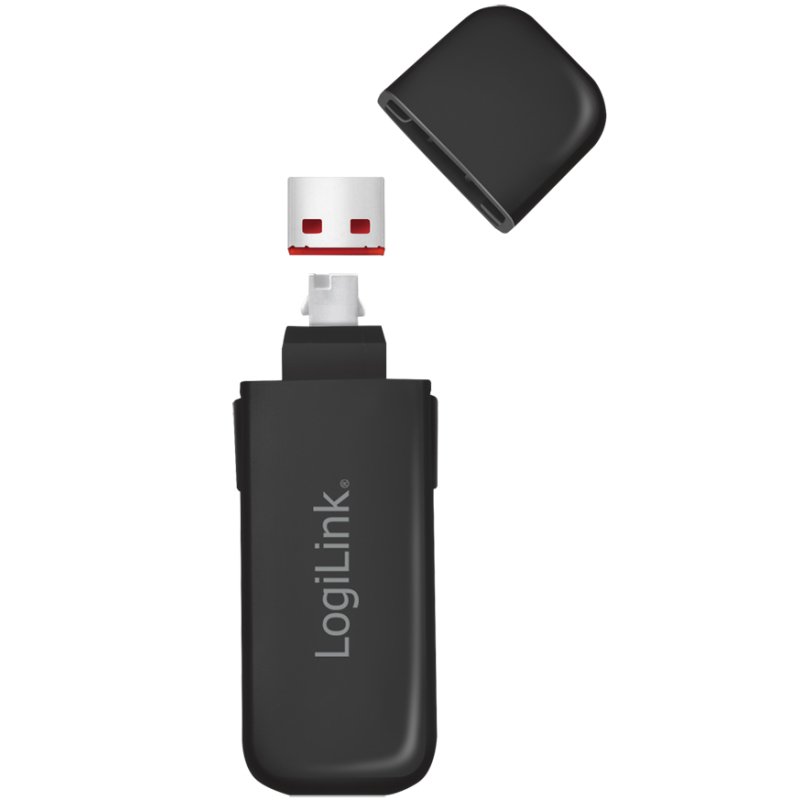
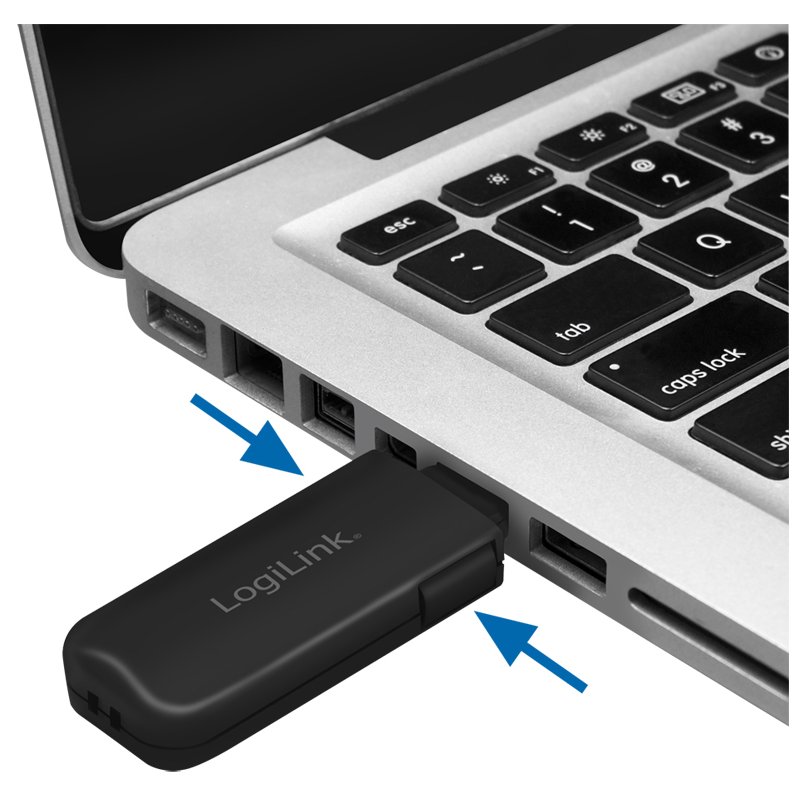
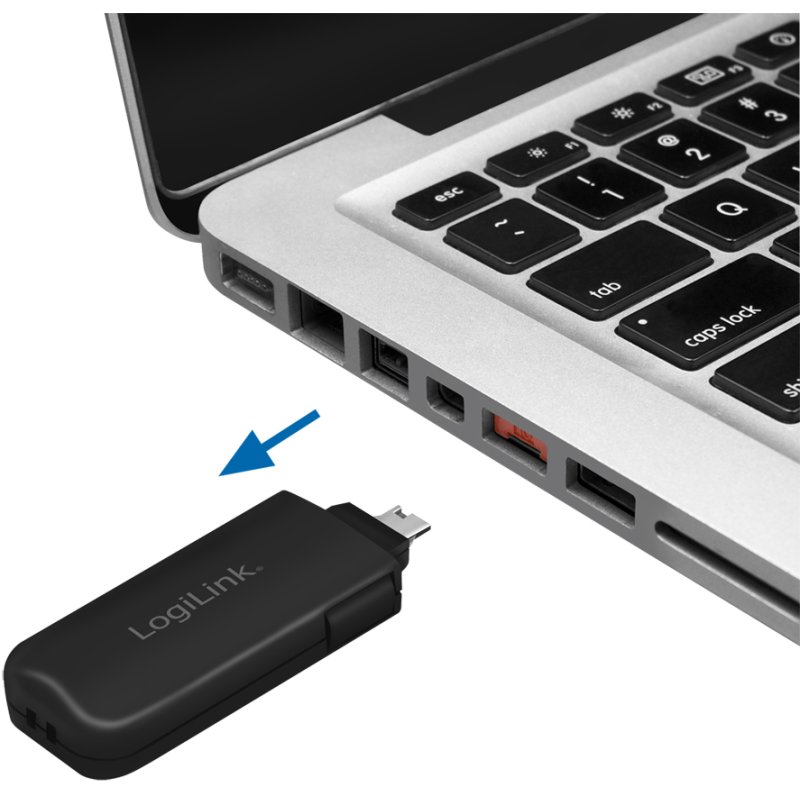
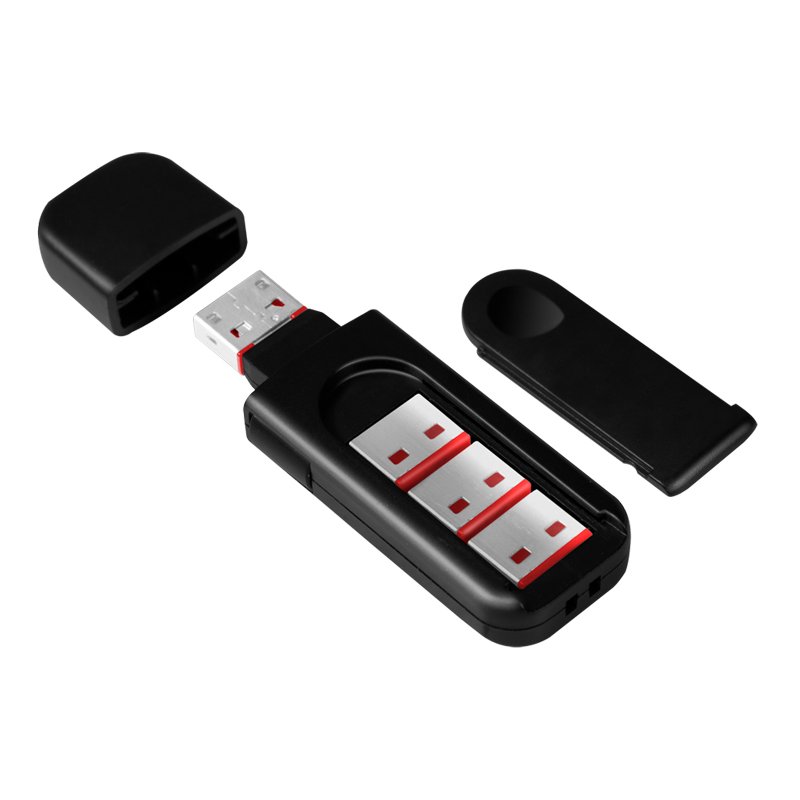
The image may differ from the exact product. Always check the specifications for exact size, colour and features. In the generated lifestyle/demonstration photos (with captions created by XtremeOffice), the scale shown is not always realistic — the product is sometimes deliberately shown large and prominently for recognisability.

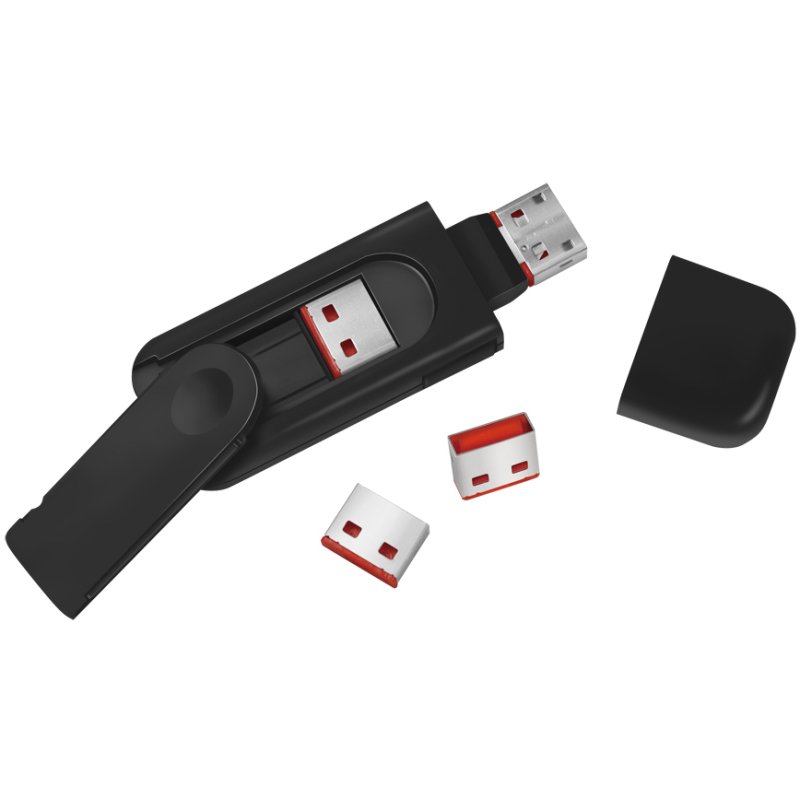
LogiLink USB security lock, red, with key and attachments
€16,66
incl. VAT
€13,77 excl. VAT (21%)
You are ordering: Colour: red
Price excluding shipping costs: €4,95 incl. VAT for orders under €49,95. From €49,95 we ship for free.
34%
goedkoper
than the average price on Google Shopping Average price of other shops offering this same item, gemeten op 01-10-2026
✓ In stock (1 pieces)
Ordered now, delivered Wednesday
📪 Through the letterbox - you don't have to be home!
⚠ Last stock — this item will not be reordered from the supplier. Once it's gone, it's gone.
Brand: LogiLink
This LogiLink product is a German discovery from the XtremeOffice.nl range and is rarely available elsewhere in the Netherlands.
| Article number | 11117228 |
|---|---|
| EAN | 4052792062854 |
| OEM number | AU0054 |
| Weight | 0,020 kg |
|---|---|
| Dimensions | B: 122 mm × H: 140 mm × D: 11 mm |
| Country of origin | Taiwan |
| Customs tariff (HS code) | 83014090 |
| VAT rate | 21% |

This is why Dex likes this article
Protect your USB ports against unauthorised access with this handy security lock. With a key and several covers, you can easily control the security of your USB connections.
When do you choose this product?
When do you need USB security?
USB security locks block the USB ports of your device, so that third parties cannot use them while you are away. This is useful in office environments where computers are accessible to several people, or when you want to prevent sensitive data from being copied via USB sticks or other storage devices. The lock blocks use of the USB port, so no USB devices can be connected to it.
Why choose a set of 4 locks?
This LogiLink set contains 1 key and 4 locks in the same colour (red). The key only works with locks of the same colour, so the set is designed for operating the locks with that one key.
Simple operation without hassle
Insert the lock into a free USB port on your device, unlock the security and pull out the key. The USB cover remains in the port and thus prevents USB devices from being connected. If you want to use the USB port again, insert the key into the cover and pull the cover out of the port together with the key. The cover can only be removed with the matching key.
Practical tip for optimal use
Always use a free USB port for the lock. Because of the red colour, the locks are clearly visible, which can act as a visible deterrent. Keep the key in a safe place where only authorised staff have access, for example in a locked desk drawer or with the system administrator.
USB security locks block the USB ports of your device, so that third parties cannot use them while you are away. This is useful in office environments where computers are accessible to several people, or when you want to prevent sensitive data from being copied via USB sticks or other storage devices. The lock blocks use of the USB port, so no USB devices can be connected to it.
Why choose a set of 4 locks?
This LogiLink set contains 1 key and 4 locks in the same colour (red). The key only works with locks of the same colour, so the set is designed for operating the locks with that one key.
Simple operation without hassle
Insert the lock into a free USB port on your device, unlock the security and pull out the key. The USB cover remains in the port and thus prevents USB devices from being connected. If you want to use the USB port again, insert the key into the cover and pull the cover out of the port together with the key. The cover can only be removed with the matching key.
Practical tip for optimal use
Always use a free USB port for the lock. Because of the red colour, the locks are clearly visible, which can act as a visible deterrent. Keep the key in a safe place where only authorised staff have access, for example in a locked desk drawer or with the system administrator.

Dex finds with this article
Specifications according to the manufacturer
USB Security Lock, Red
Protect the USB ports of your PC and notebook against use by others while you are away!
• Small, effective protection for USB-A ports in the design of a USB stick
• Key with USB plugs
• Each key only works with a lock of the same colour
Simple to use: Insert the security lock into a free USB port on your device, unlock the security and pull the key out of the device. The USB plug remains in the port and effectively prevents USB devices from being connected. If you want to use the USB port, remove the blocking USB plug just as easily as you fitted it: insert the key into the plug and pull it out of the USB port together with the plug. The plug can only be removed using the matching key.
Application examples:
- blocks use of the USB port
- prevents damage to USB ports
- visible deterrent as a security measure
- prevents copying of sensitive data or transfer of viruses via MP3 players, USB sticks and other storage devices
Protect the USB ports of your PC and notebook against use by others while you are away!
• Small, effective protection for USB-A ports in the design of a USB stick
• Key with USB plugs
• Each key only works with a lock of the same colour
Simple to use: Insert the security lock into a free USB port on your device, unlock the security and pull the key out of the device. The USB plug remains in the port and effectively prevents USB devices from being connected. If you want to use the USB port, remove the blocking USB plug just as easily as you fitted it: insert the key into the plug and pull it out of the USB port together with the plug. The plug can only be removed using the matching key.
Application examples:
- blocks use of the USB port
- prevents damage to USB ports
- visible deterrent as a security measure
- prevents copying of sensitive data or transfer of viruses via MP3 players, USB sticks and other storage devices
Specifications
Version
1 key / 4 locks
Colour
Manufacturer
Hazard information
No hazard classification applies according to the available manufacturer and supplier information.
This product contains no substances classified as hazardous under the CLP Regulation.
This product contains no substances classified as hazardous under the CLP Regulation.
Product information checked by XtremeOffice
This page has been compiled based on information from the manufacturer and our supplier. Last checked on 30-10-2026.
This page has been compiled based on information from the manufacturer and our supplier. Last checked on 30-10-2026.
×
‹
›
![]()